
Model Comparison
Understand and compare your models configs
This page allows users to evaluate two different model configurations side by side to determine which model most accurately reflects a client’s business performance. It provides a structured environment for analyzing model health, reviewing modeled performance metrics, and validating attribution outputs across channels.
This comparison helps users confidently assess model quality and ensure the most reliable configuration is used throughout the Prescient platform.
Model Selection
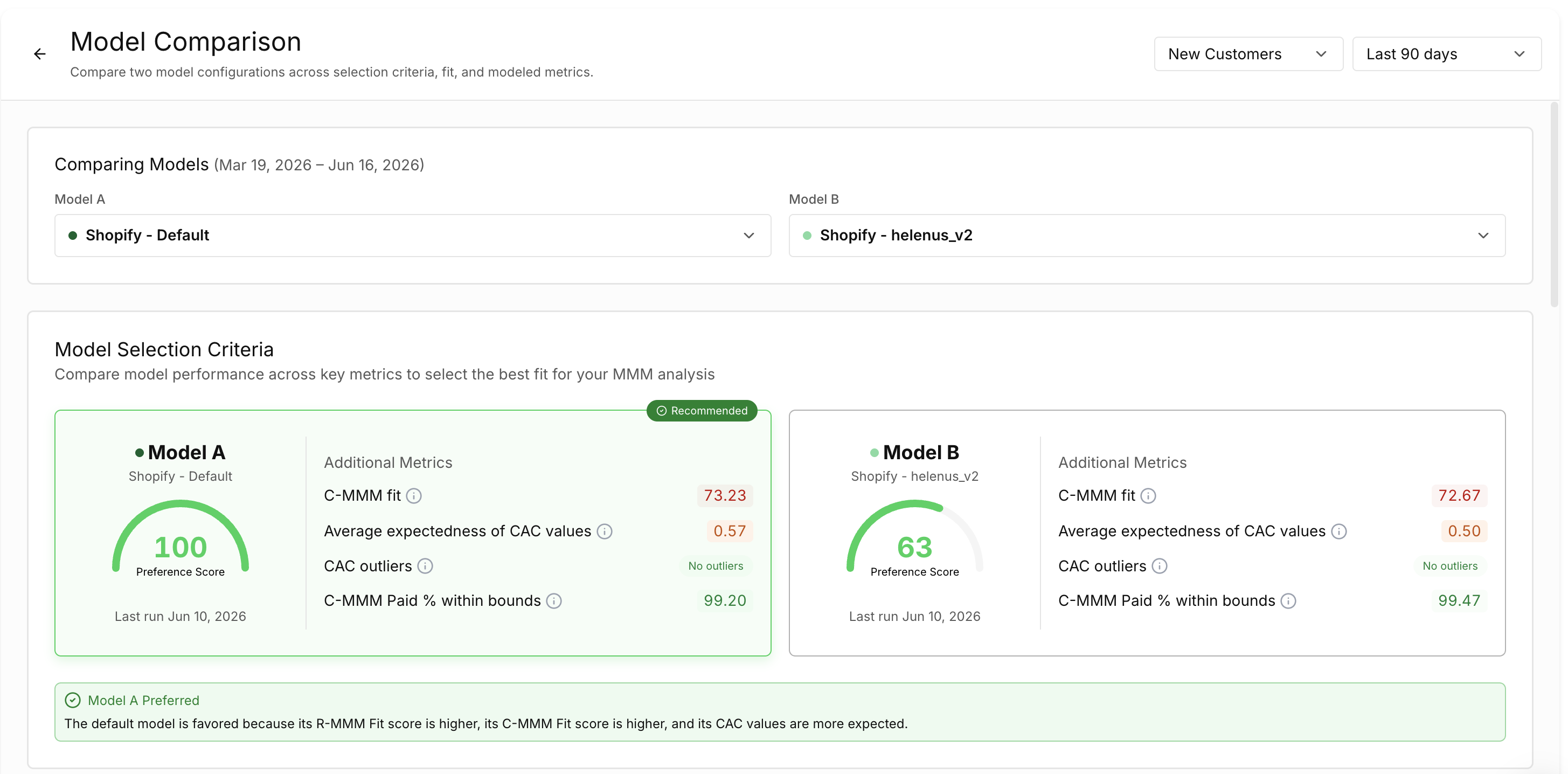
A metric (revenue or CAC) selector and a date selector in the top-right corner controls the results type and timeframe used for all metrics and visualizations.

Users then select the two models they want to evaluate. Model A typically represents the current or baseline configuration, while Model B is the alternative model being assessed. Once selected, both models are displayed side by side across the entire page to allow direct comparison.

Model Selection Criteria
The Model Selection Criteria section evaluates the overall health of each model using Prescient’s heuristic metrics. These metrics are designed to determine whether a model produces statistically sound and realistic outputs.
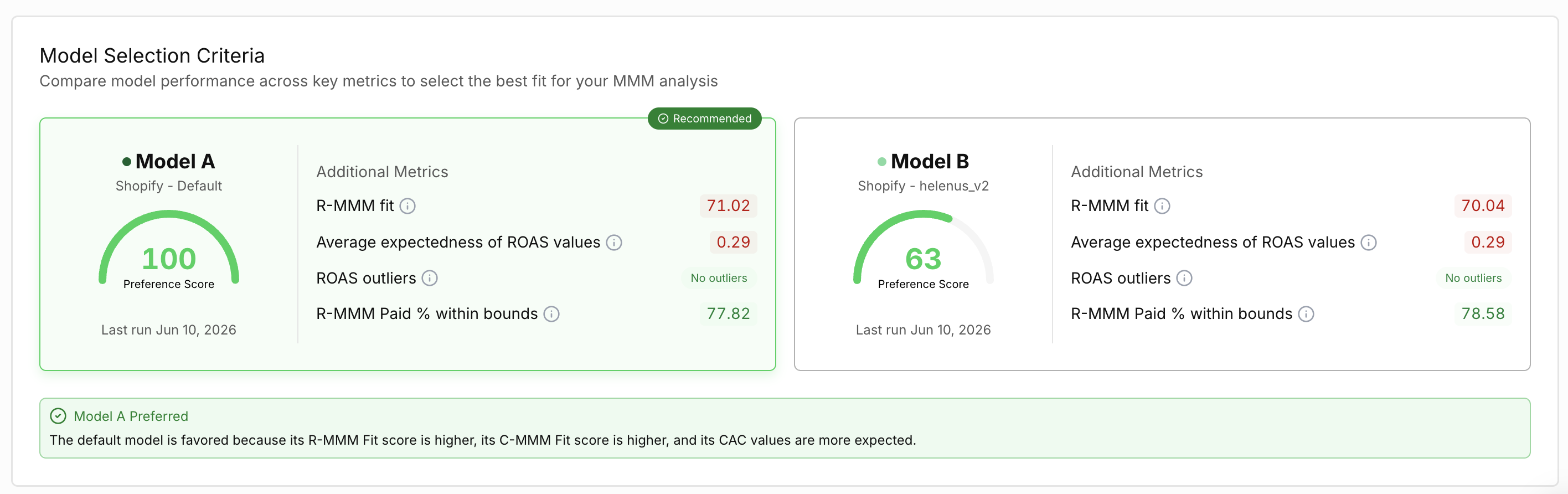
Each model receives a Preference Score, which summarizes its performance across several evaluation criteria on a scale from 0 to 100. Higher scores indicate stronger overall model health. When one model clearly performs better across the criteria, it may be marked as the recommended configuration.
The evaluation considers how closely modeled results match reported data and whether the outputs fall within expected industry ranges. For revenue modeling, the R-MMM Fit measures how closely modeled revenue aligns with reported totals, while Average Expectedness of ROAS indicates whether the model’s return on ad spend values are typical compared to industry benchmarks. The system also checks for ROAS outliers, which occur when a channel’s performance is significantly outside normal statistical ranges. Another metric evaluates whether the R-MMM Paid percentage falls within a reasonable range, typically above 30% but below 100%.
When comparing models based on customer acquisition instead of revenue, similar metrics are applied to new customer performance. These include C-MMM Fit, Average Expectedness of CAC, CAC outliers, and C-MMM Paid percentage within bounds, which evaluate how realistic the model’s customer acquisition costs and attribution patterns appear.
MMM Fit Comparison
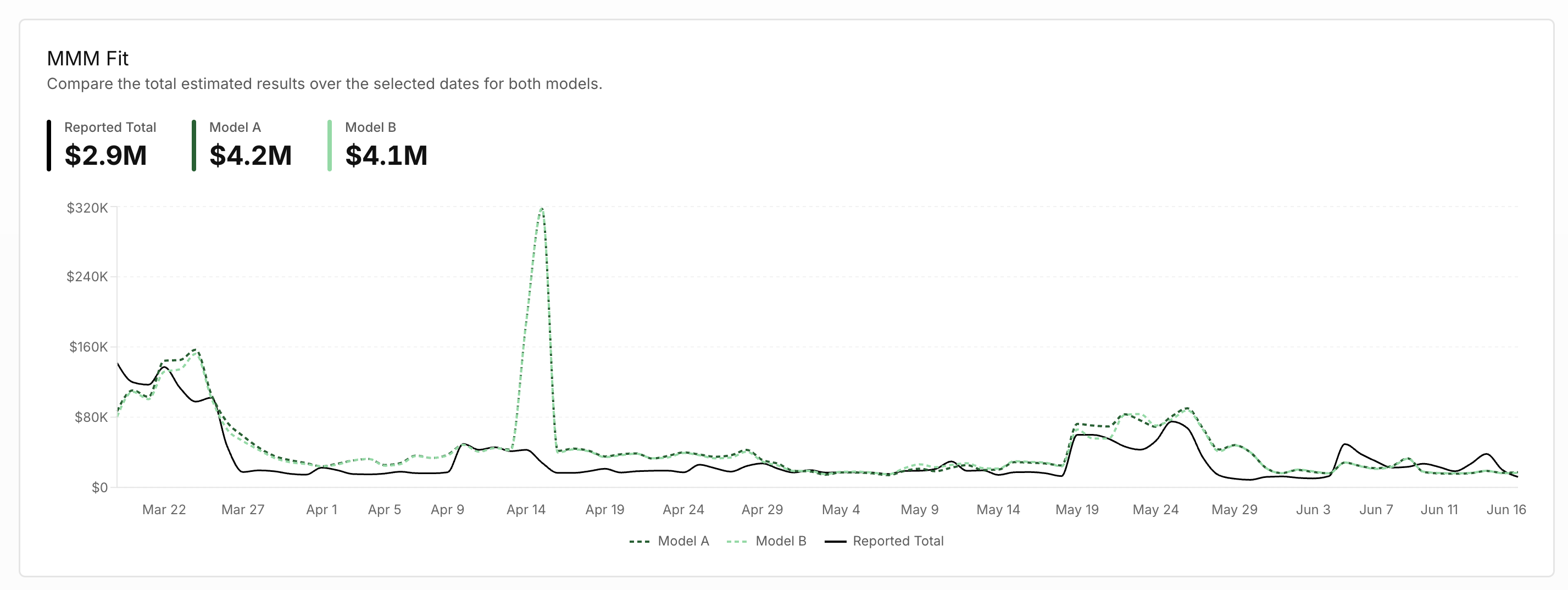
The MMM Fit section compares how each model reproduces actual business performance across the selected timeframe. A time-series visualization shows reported totals alongside the results produced by Model A and Model B. This view helps users understand how closely each model follows real performance trends, particularly during periods of rapid growth or unexpected fluctuations.
Summary metrics highlight differences between the models for key modeled outcomes such as MMM Paid Revenue, MMM Paid ROAS, MMM Paid New Customers, and MMM Paid CAC. These comparisons make it easier to identify where one model produces meaningfully different results from another.
Historical ROAS
The Historical ROAS section compares how each model attributes return on ad spend across marketing channels. Users can review results across multiple timeframes, including the last 30 days, 90 days, and 365 days. This allows teams to evaluate whether attribution differences between models are consistent over time or only occur during certain periods.
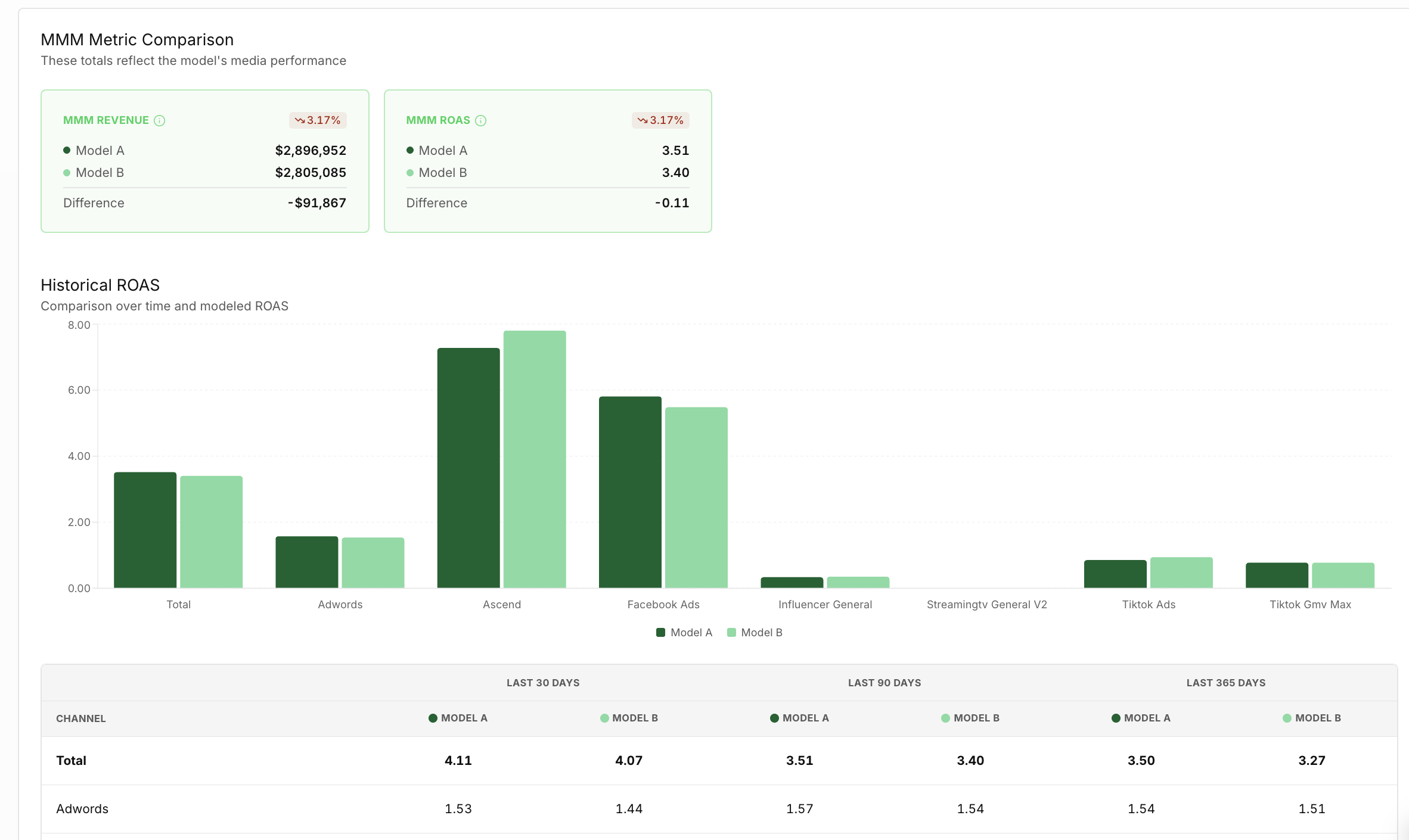
A bar chart visualizes the channel-level ROAS produced by each model, while the table below provides the exact values for each timeframe. Together, these views help users determine whether the modeled performance for channels aligns with marketing expectations and historical patterns.
Using Model Comparison
The Model Comparison Page helps ensure that the model powering Prescient’s insights is both accurate and reliable. Customer Success Managers typically use this page to validate model health, compare modeled outputs against reported business data, and review how attribution changes between configurations.
By selecting the model that best aligns with real performance trends and produces realistic metrics, teams can ensure that the insights used across the AI action Center, Attribution, and Media Forecaster areas of the platform are built on the strongest possible foundation. This leads to more accurate analysis, better budget allocation decisions, and greater confidence in the platform’s marketing mix modeling results.
Updated about 2 months ago